

Highlighted:
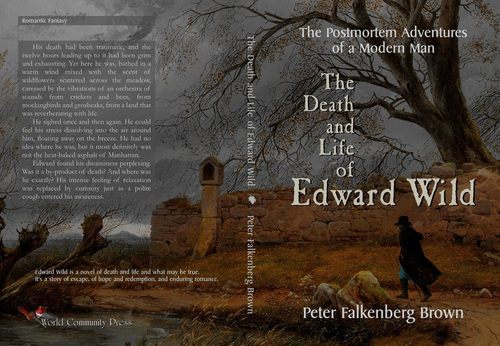
The Death and Life of Edward Wild: The Postmortem Adventures of a Modern Man
 more
more World Community Press Books

The Death and Life of Edward Wild: The Postmortem Adventures of a Modern Man
Edward Wild is a novel of death and life and what may be true. It's a story of escape, of hope and redemption, and enduring romance.

The Time Signature of Night: Poems
https://www.amazon.com/dp/0963570668
The Time Signature of Night is the second volume of poetry of a companion set. The first volume is titled Aquifers of Love. The poems in both books reflect the themes of the titles.
“The Time Signature of Night” draws attention to the music that exists everywhere: the obvious music, such as birdsong and insect and animal sounds, but also the quieter music that is drowned out by our cerebral-heavy world. Dorothy Maclean of Findhorn wrote that every plant has a deva that sings it into being. Johannes Kepler wrote of the music of the spheres. We are living in a time of cosmic awakening when we can each finally hear the song of our soul.

Aquifers of Love: Poems
https://www.amazon.com/dp/0963570692
Aquifers of Love is the first volume of poetry of a companion set. The second volume is titled The Time Signature of Night. The poems in both books reflect the themes of the titles. The phrase “Aquifers of Love” expresses that there are countless places all around us where love can be found, both in the human experience and in nature.

The Living Compass of Kindness and Compassionate Love
Purchase Here:
https://www.amazon.com/Living-Compass-Kindness-Compassionate-Love/dp/096357065X
The Living Compass of Kindness and Compassionate Love is a book of essays (with a few poems) that explores the topics of love, beauty, and the mystical path. It is a book for people of all religions and no religion, for agnostics and atheists as well, because the author approaches these topics based on the concept that universal truths apply to all human beings, beyond religion, culture, nationality, or language.

The Mystical Love of God: Divine Writing Messages from the God Who Is Always with Us
Purchase Here:
https://www.amazon.com/Mystical-Love-God-Writing-Messages/dp/0963570684
"I love you. Let that really sink in.The God who created the universe loves you.What could be more comforting than that?"
The text above is just one of the 201 messages contained in this volume. The messages all point to one central truth: that the Creator of human beings is an indwelling and loving God who is "inextricably embedded in every particle and cell and thought and feeling of every human."

Waking Up Dead and Confused Is a Terrible Thing
Purchase Here:
https://www.amazon.com/Waking-Dead-Confused-Terrible-Thing/dp/0963570641
A volume of stories for adults with a special section of tales that can be read to children,
Waking Up Dead and Confused brings the reader on a journey of inquiry, of imagination, of nobility, and redemption.

The True Love Thing to Do
Purchase Here:
https://www.amazon.com/True-Love-Thing-Interactive-Preparing/dp/0963570625
The True Love Thing to Do shows you how you can build a marriage of true love. It explains why it’s better to wait until marriage to have sexual relations—not just because of pregnancy or STDs but because of the beauty and value of love. The True Love Thing to Do describes a new way of thinking, feeling, and acting, and most of all a new way of loving. It introduces a new paradigm for life in the twenty-first century: the “Age of Illumination.”
Videos and Films
~ Welcome to World Community Films ~
[If you were searching for the World Community Film Festival in Courtenay BC, Canada, please visit http://www.worldcommunity.ca/film-festival/.]
WorldCommunityFilms.com is a project of the World Community Press. For simplicity, the url redirects to this page. Our former film production name, Significato Films, has been replaced with our new name.
You can watch our very first film (The Epiphany of Zebediah Clump) below.
All of our videos and films are viewable at the “Love, Freedom, and the World” channel via the link below:
https://peterfalkenbergbrown.com/show/videos-and-films/
The Epiphany of Zebediah Clump
A comedy/drama about the Venus Transit on June 5, 2012, and the supposed End of the World."Zebediah Clump was doomed... In the darkened mind of Z. Clump, the tiny and seemingly insignificant movement of the planet Venus across the face of the sun was an event that reduced his body to a quivering jelly of unkempt terror. He spent the night of June 5th, 2012 curled on his bed in the fetal position, whimpering; waiting for the morning, and death, and the final depletion of his half empty glass..."